![engin_spark_logo_800x272.png]](https://support.engin.co/hs-fs/hubfs/Logos/engin_spark_logo_800x272.png?height=40&name=engin_spark_logo_800x272.png)
Video Tutorial
Step-by-Step Guide
- Checking your SparkCredit amount can be completed by navigating to the upper, right-hand corner of the engin dashboard. SparkCredits do not expire and roll over to the next billing cycle, effectively acting as a "bank" of SparkCredits.
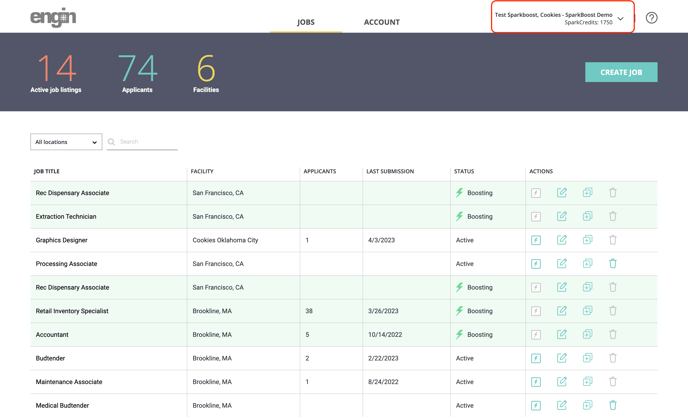
a. You may also view BILLING information by navigating to the "Account > Billing" module. Here, you'll see the amount of SparkCredits that are currently available to you, a full history of SparkCredits added, and SparkCredits spent.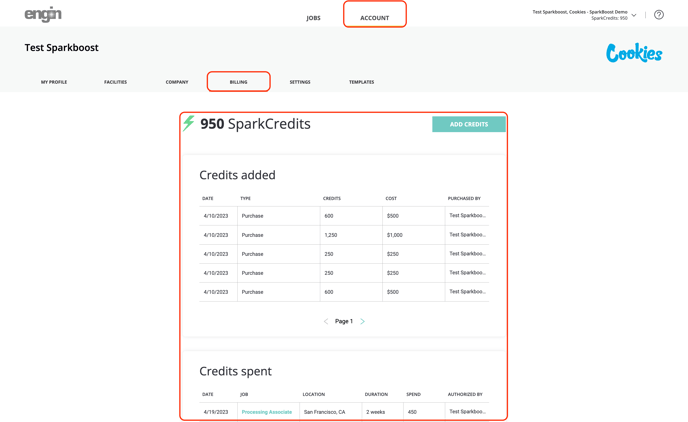
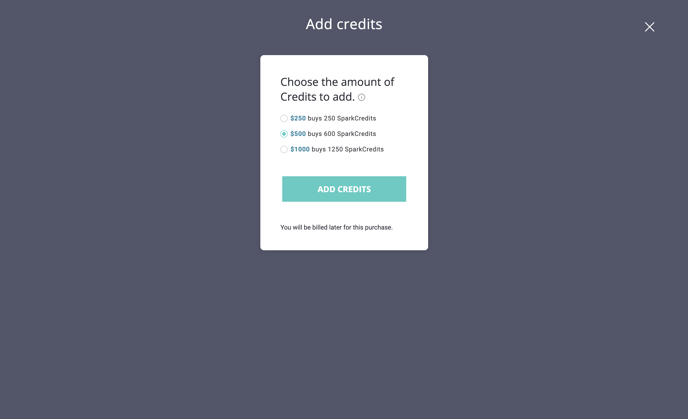
- To add SparkCredits, click on the dropdown then click on "Add Credits" – there are 3 convenient options to choose from:
- $149 buys 150 SparkCredits
- $399 buys 500 SparkCredits
- $799 buys 1000 SparkCredits
NOTE: You will be billed for SparkCredit purchases at a later point in time via Stripe or an ACH invoice*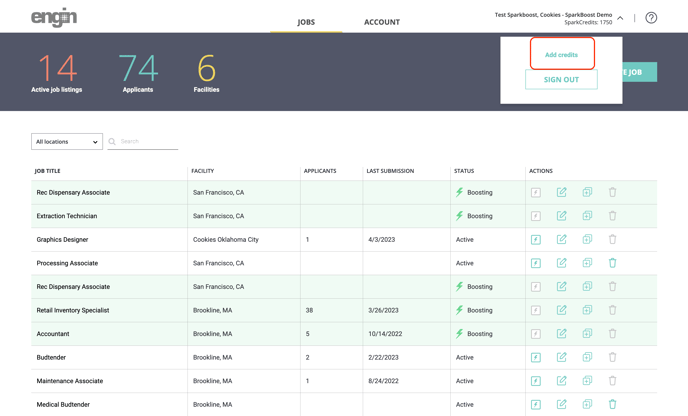
- Utilizing SparkCredits is a simple process! Simply locate the job listing that you'd like to BOOST, then click on the "BOOST" button on the right-hand side of the screen.
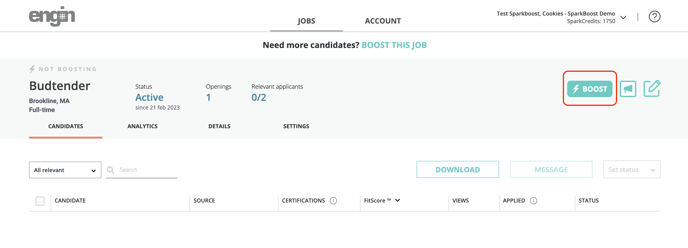
- You'll be asked to select a duration of time to BOOST a job for with 2 options: 2 weeks -or- an entire month and will be given a recommendation based on the number of openings that need to be filled as to how many SparkCredits to deploy.
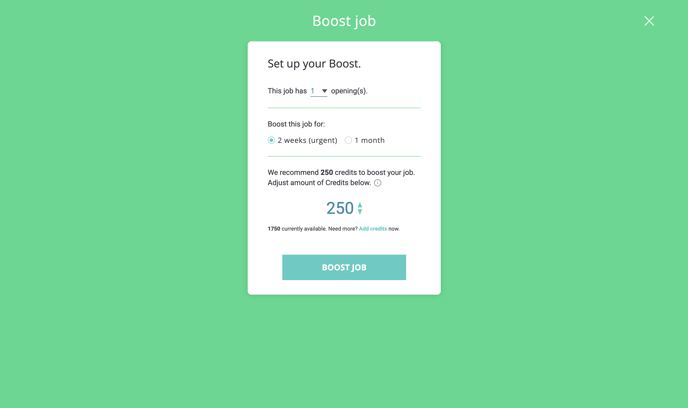
- Select your preferred duration for a boost, then select the amount of SparkCredits that you'd like to deploy for the specific job listing.
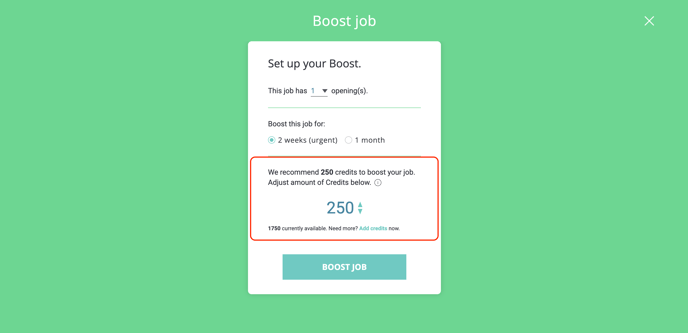
- Please note: the minimum amount that can be deployed for a job listing is 100 SparkCredits.
- Please note: the minimum amount that can be deployed for a job listing is 100 SparkCredits.
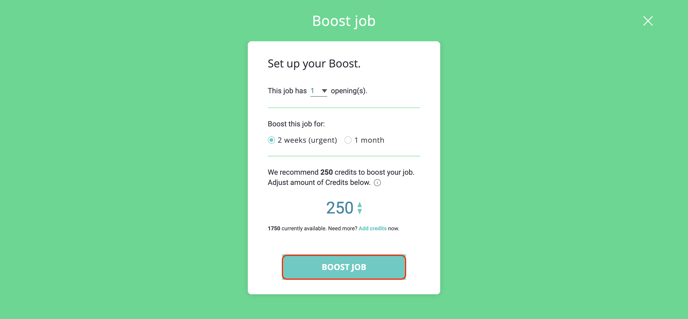
- Click 'BOOST JOB"
- You'll be asked to select a duration of time to BOOST a job for with 2 options: 2 weeks -or- an entire month and will be given a recommendation based on the number of openings that need to be filled as to how many SparkCredits to deploy.
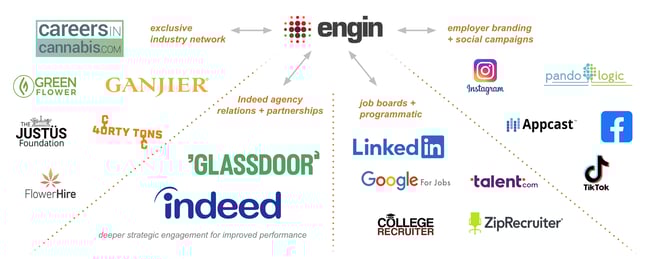
- Once a job is BOOSTED, our team will deploy the budget where appropriate with a goal of bringing you the best candidates for the lowest CPA possible. As a reminder, the graphic below is a snippet of our job distribution.
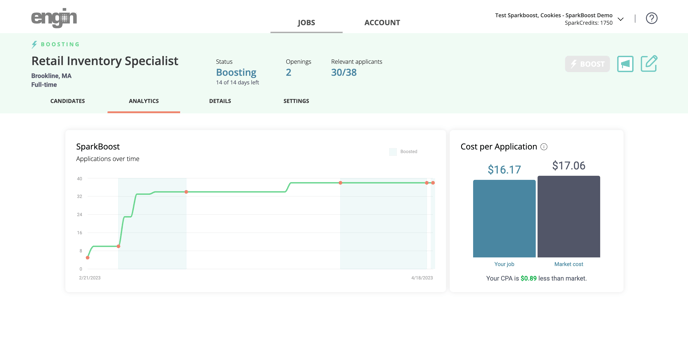
- To review how your BOOSTED job is performing, click on the "Analytics" tab for the role being boosted. Here, you'll be able to see the amount of SparkCredits being deployed as well as what the traditional Market CPA is vs. what your CPA is for the role being boosted.
If you have any questions or need further assistance with SparkBoost or SparkCredits, our customer success team is here to help! Feel free to send us an email using: customersuccess@engin.co